The books on your shelf, now on your phone.
Turn the pages in front of the camera. ScanLeaf AI captures each one, recognizes the text and gives you an EPUB ebook with a table of contents, ready to read in the app.
Sign up free and get 30 points to try your first few pages.
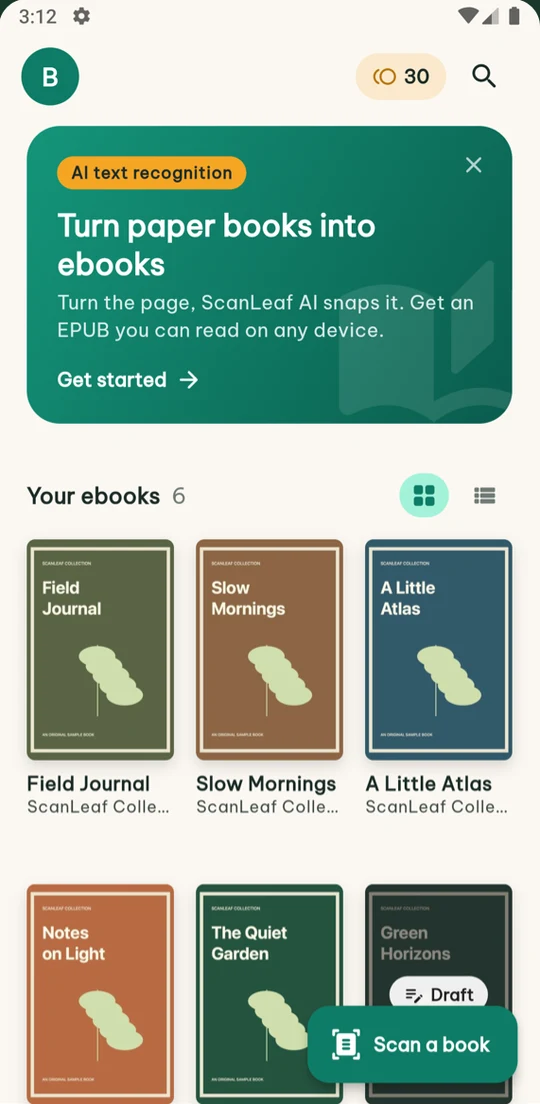
Three steps from paper to ebook
No scanner needed. A phone and a few minutes are enough for a whole book.
-
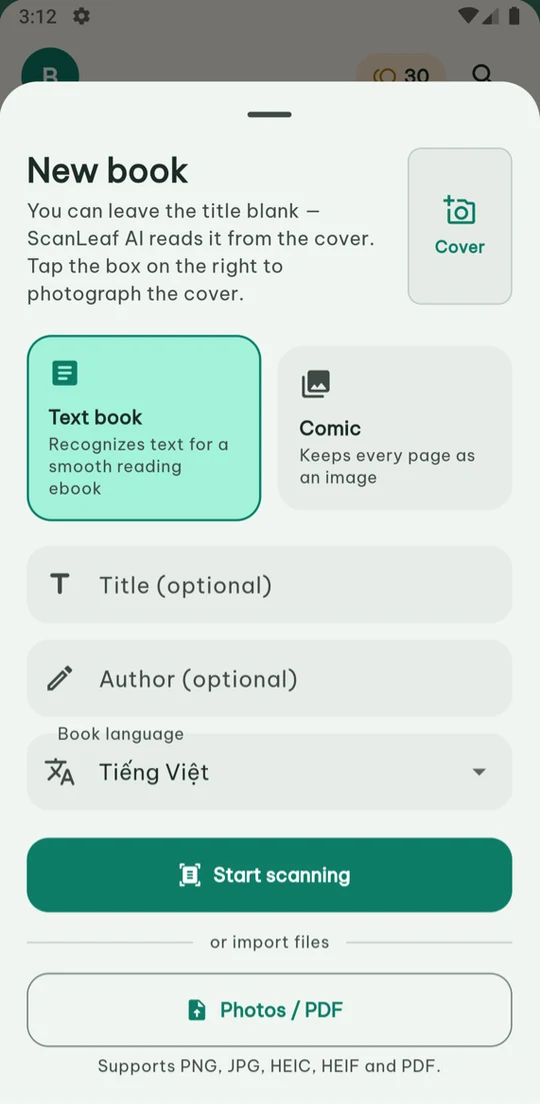
Capture or import pages
Hold your phone over the book and turn the pages; the app captures each page once it is still. Already have photos or a PDF? Import them directly.
-
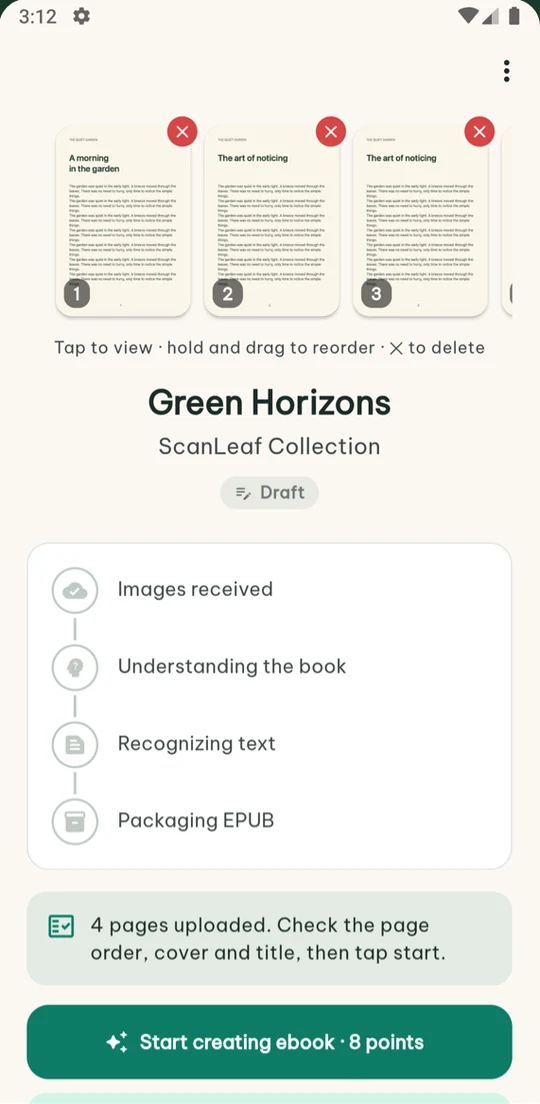
Review
Check each page, drag to reorder, remove bad shots and pick a cover. Then tap Create ebook.
-
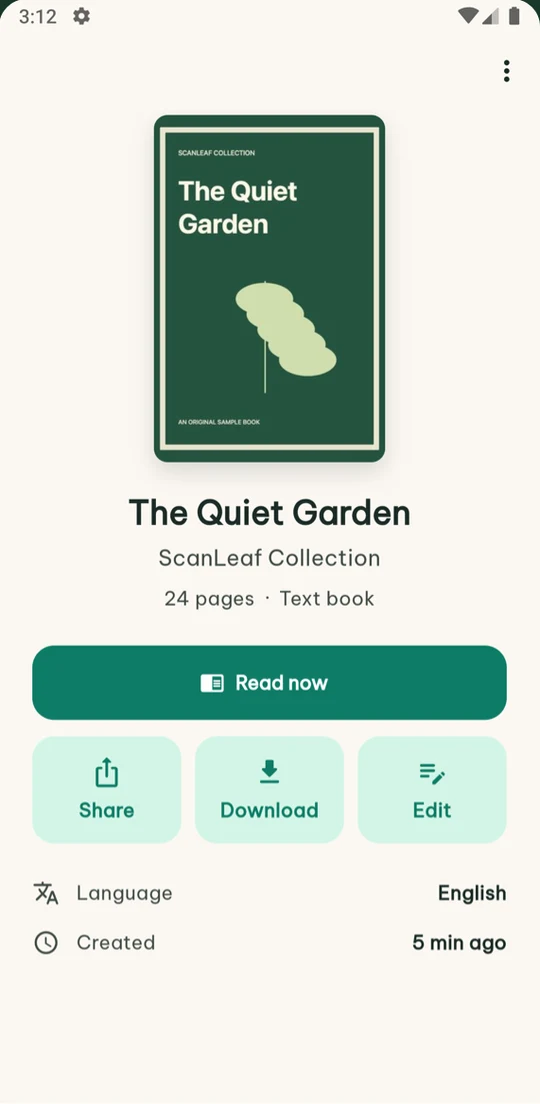
Get your ebook
AI recognizes the text on our server, keeping footnotes and poetry line breaks. You can leave the app while it works.
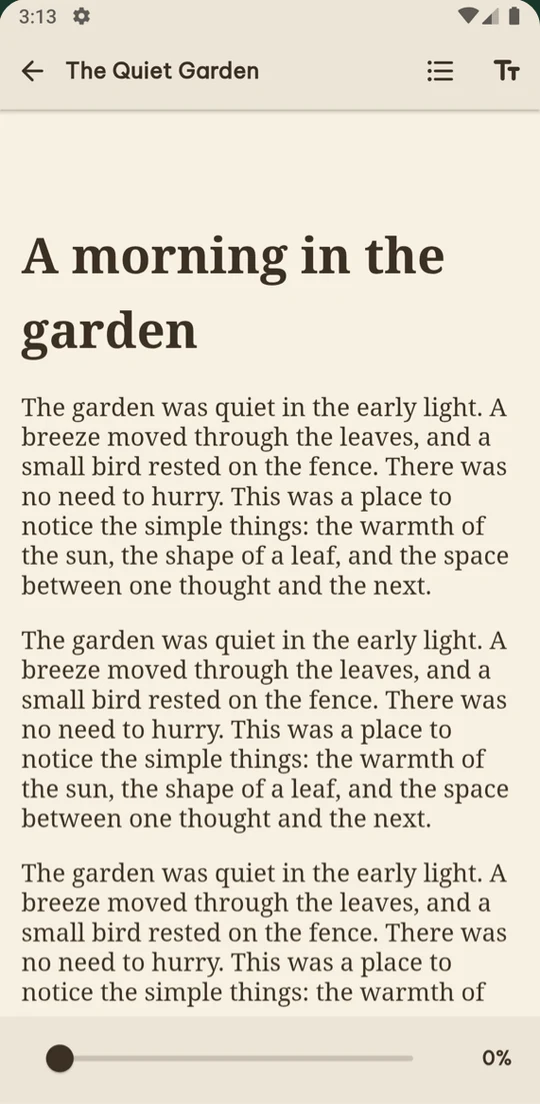
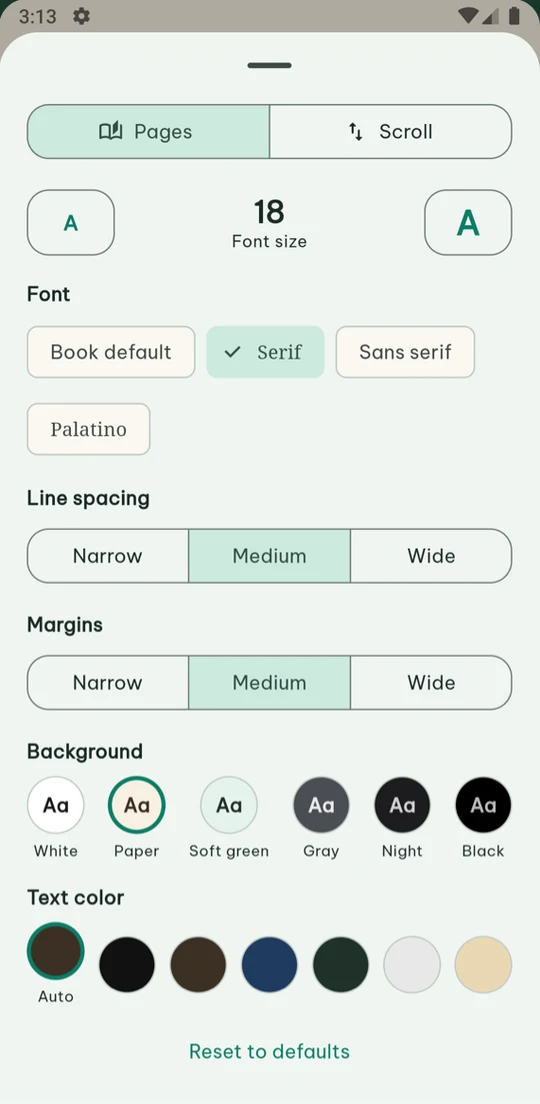
Read right in the app, the way you like
-
Table of contents and saved placePick up exactly where you stopped, and jump between chapters.
-
Page turns or vertical scrollingChoose one reading style and gestures do only what that style needs.
-
Your type, your colorsText size, serif fonts, line spacing, margins and six page colors from white to black.
-
Download EPUB, Word and TXTOpen the EPUB in any reading app, edit or print the Word (DOCX) file, and use TXT for quoting and searching.
Three ways to capture
- Automatic
- Turn the page and the app captures it once it is still, so both hands stay on the book.
- Timer
- Capture every 2, 3, 5 or 8 seconds to match your page-turning pace.
- Manual
- Tap to capture each page, best for old books and thin paper.
Or import what you already have
- Photos
- PNG, JPG and HEIC from your photo library or Files.
- Scanned book PDFs, split into pages automatically.
- Comics
- Keeps every page as an image, with right-to-left reading.
Pay per page
2 pointsper text page, comics 1 point per page
Failed pages are refunded automatically. Stop midway and unprocessed pages are refunded. Retrying, reordering and making copies are free.
| Pack | Enough for about | Price |
|---|---|---|
| 100 points | 50 pages | 19,000₫ |
| 500 pointsPopular | 250 pages | 79,000₫ |
| 1,200 points | 600 pages | 179,000₫ |
| 3,000 pointsBest value | 1,500 pages | 419,000₫ |
FAQ
Are the books I scan public?
No. Your photos and ebooks belong to your account only. Deleting a book or your account in the app deletes the data on our server too.
Which languages can ScanLeaf AI read?
Vietnamese, English, French, Japanese, Chinese and Korean, including older printed books with historical spelling. The app itself is available in 11 languages.
How long does a book take?
Usually a few minutes for a 200-page book once the photos are uploaded. You can leave the app; the server keeps working and tells you when it is done.
Can I stop while an ebook is being created?
Tap "Stop creating ebook" on the book screen. Pages not yet recognized are refunded, and finished pages are kept so you are not charged again when you continue.
Is there an iPhone app?
The iPhone version is being prepared for the App Store. EPUB files made with ScanLeaf AI already open on iPhone, iPad and Mac.
Which books should I scan?
Books you own, for your personal reading. Please do not use ScanLeaf AI to distribute copyrighted books.
Digitize your first book
Sign up free, get 30 points and try a few pages today.